Trigger
Anchor the email to the event, timing, or condition that causes the send.
Use workflows to choose the send you are actually preparing: activation, transactional, launch, promotion, digest, or operational update. Core gives the essential foundations. Pro gives the full 13-workflow operating set with source, output, QA, and handoff context.
Workflow assembly
Trigger to production output
01
Real send event
02
Message journey
03
Complete structure
04
Reusable blocks
05
Production output
A useful email archive should show why the send exists, what needs to change, what must be checked, and what gets handed to the platform.
Anchor the email to the event, timing, or condition that causes the send.
Move from workflow intent to linked layout, required fields, MJML source, compiled HTML, QA, and handoff context.
Prepare the reviewed artefact before upload. Your ESP still handles audiences, consent, automation, sending, unsubscribe, delivery, and reporting.
This is the practical buying question: does the archive cover the email work your team keeps repeating?
Move users through product moments
Use these when the email should drive activation, retention, upgrade, or a clear next product action.
Drive first meaningful action and reduce first-week drop-off.
Sent after a user creates an account but before activation milestones are complete.
Drive awareness and feature adoption with production-safe launch messaging.
Sent when releasing notable product updates.
Increase paid conversion before trial access lapses.
Sent as a timed reminder before trial expiry.
Reassure buyers and reduce immediate post-purchase support requests.
Sent when a user upgrades to a paid plan.
Reduce support risk around account and order events
Use these when clarity, tokens, fallback copy, and platform-safe handoff matter more than promotion.
Help legitimate users recover access while keeping security messaging clear.
Sent immediately after a user requests a password reset.
Confirm billing details clearly and reduce support tickets about charges.
Sent when a payment is captured or subscription invoice is finalised.
Drive immediate, safe action while reducing confusion during urgent incidents.
Sent when security events or high-priority account alerts are detected.
Confirm order details and reduce follow-up contacts about status or receipt access.
Sent immediately after checkout is completed.
Reduce where-is-my-order contacts with precise, timely status updates.
Sent when parcel status changes after dispatch.
Ship planned commercial messages faster
Use these for product launches, promotions, and conversion sends that still need source ownership and QA.
Ship campaign messaging quickly without rebuilding launch structure from scratch.
Sent for product launches, seasonal pushes, or planned campaign announcements.
Increase conversion without introducing rushed markup regressions.
Sent for promotions, offers, and limited-time commercial pushes.
Make recurring editorial sends repeatable
Use these when a recurring send needs a stable content structure instead of a fresh rebuild each week.
Keep stakeholders informed with scannable updates that can be repeated reliably.
Sent on a schedule to report weekly performance or operational metrics.
Publish recurring digests faster while keeping formatting and handoff stable.
Sent on a regular cadence for editorial and product content roundups.
These are production-oriented journeys that map to real layout systems and reusable components.
Featured workflow / Core included
Sent after a user creates an account but before activation milestones are complete.
Open workflowWorkflow assembly
Trigger to production output
01
Real send event
02
Message journey
03
Complete structure
04
Reusable blocks
05
Production output
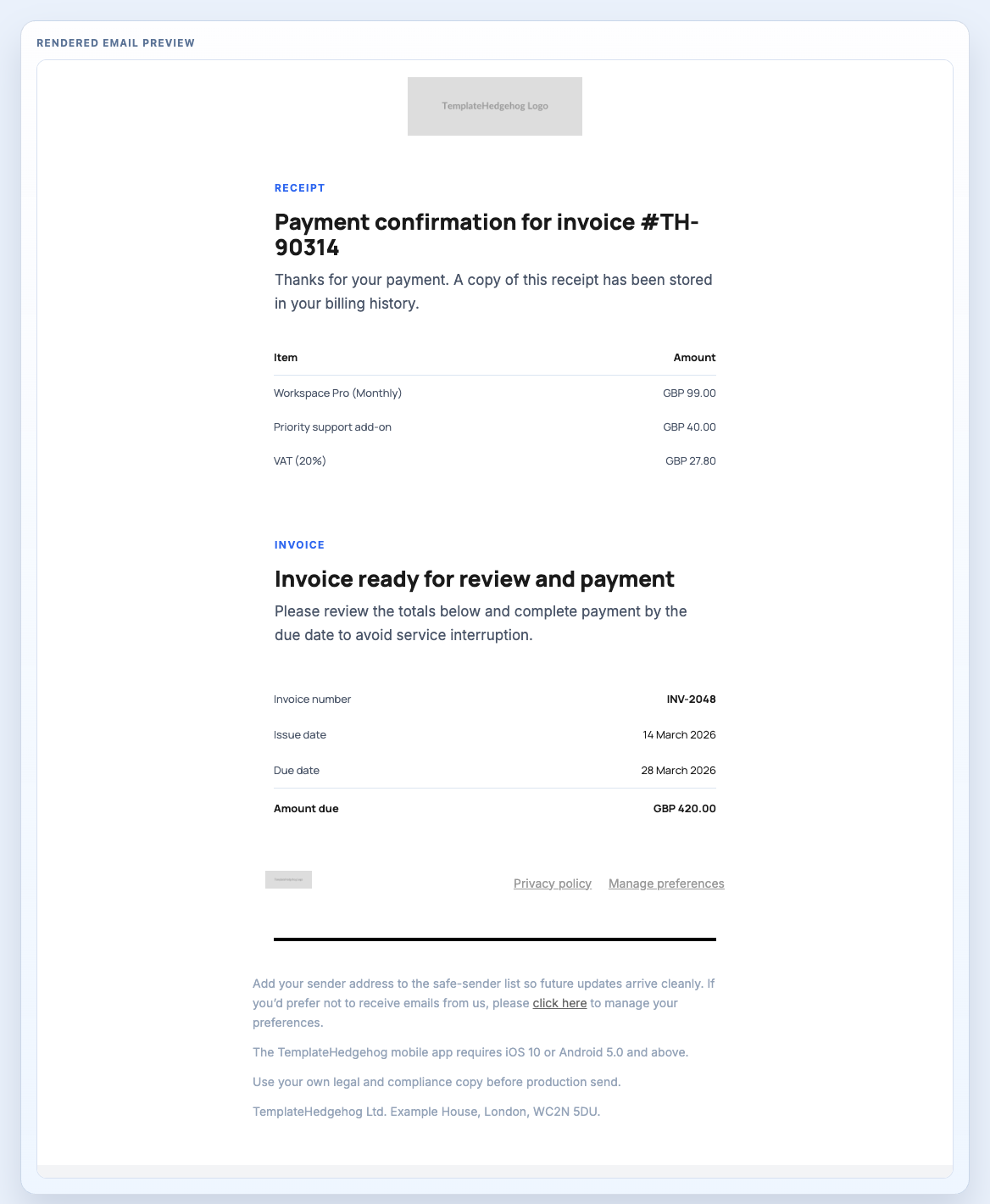
Receipt email layout with line items, invoice summary, and a concise compliance-safe footer.
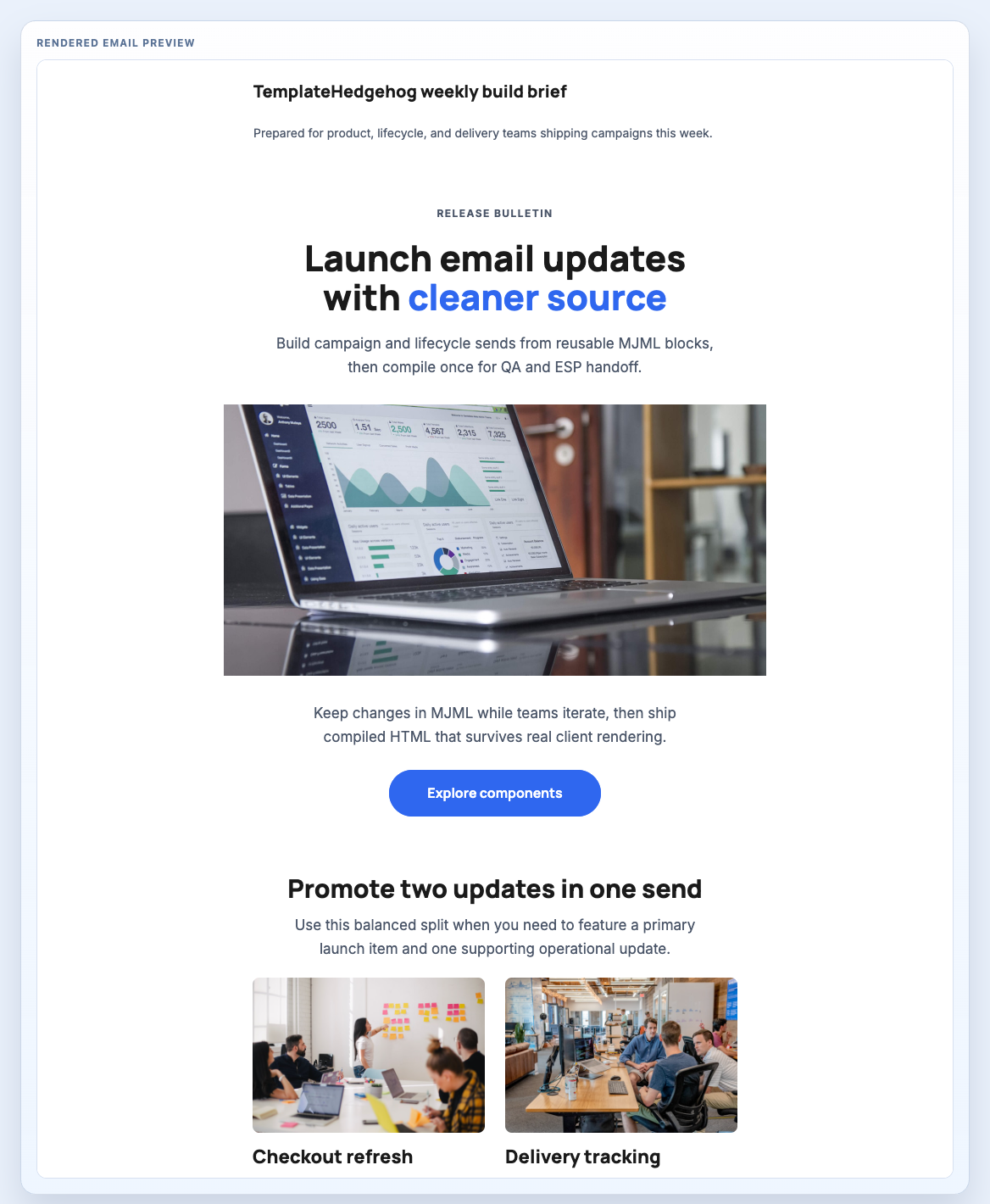
Launch-focused email stack composed from a brand header, campaign hero, feature grid, and compliance footer.
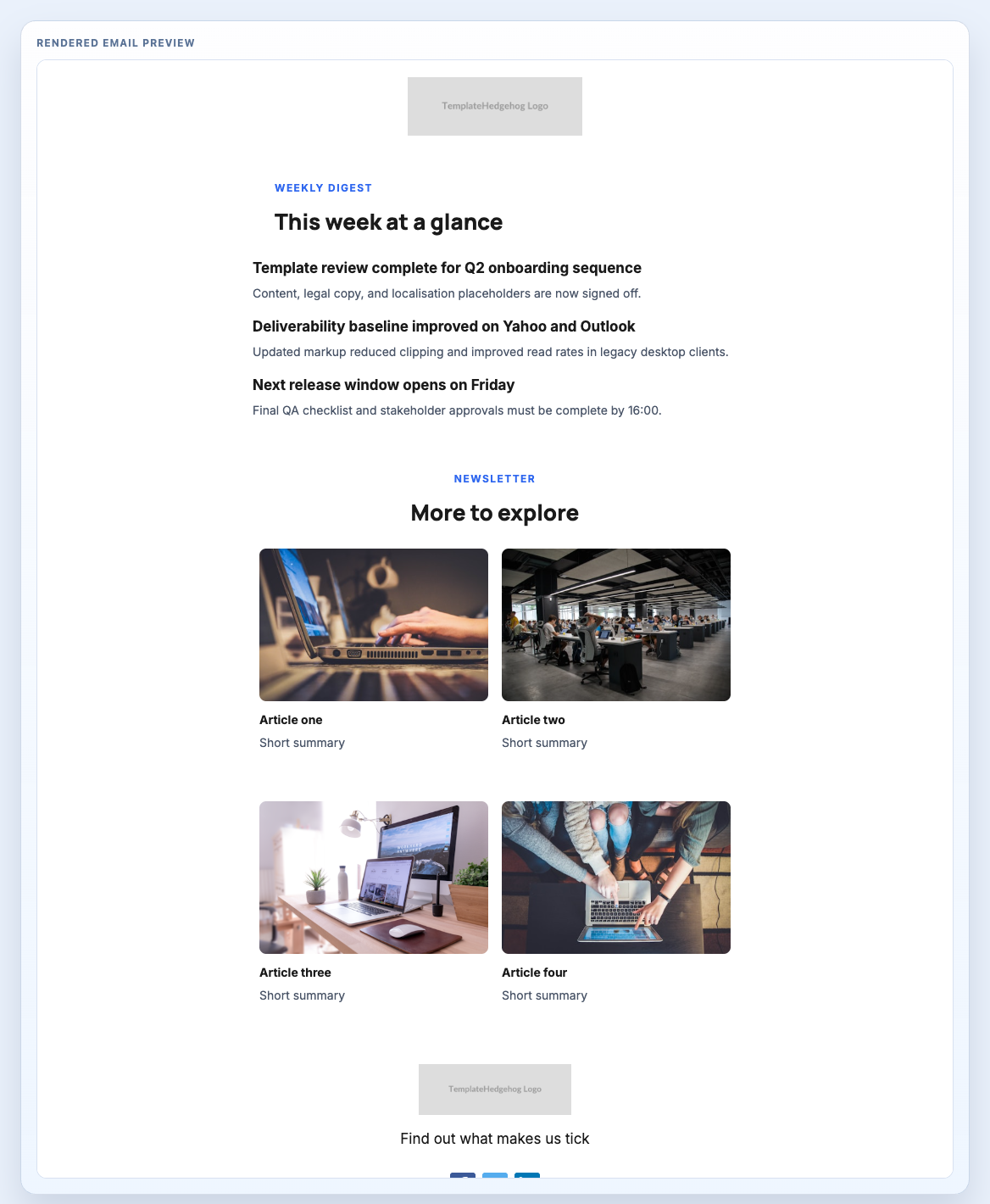
Weekly digest layout combining a stacked list, multi-article grid, and newsletter footer for recurring editorial sends.
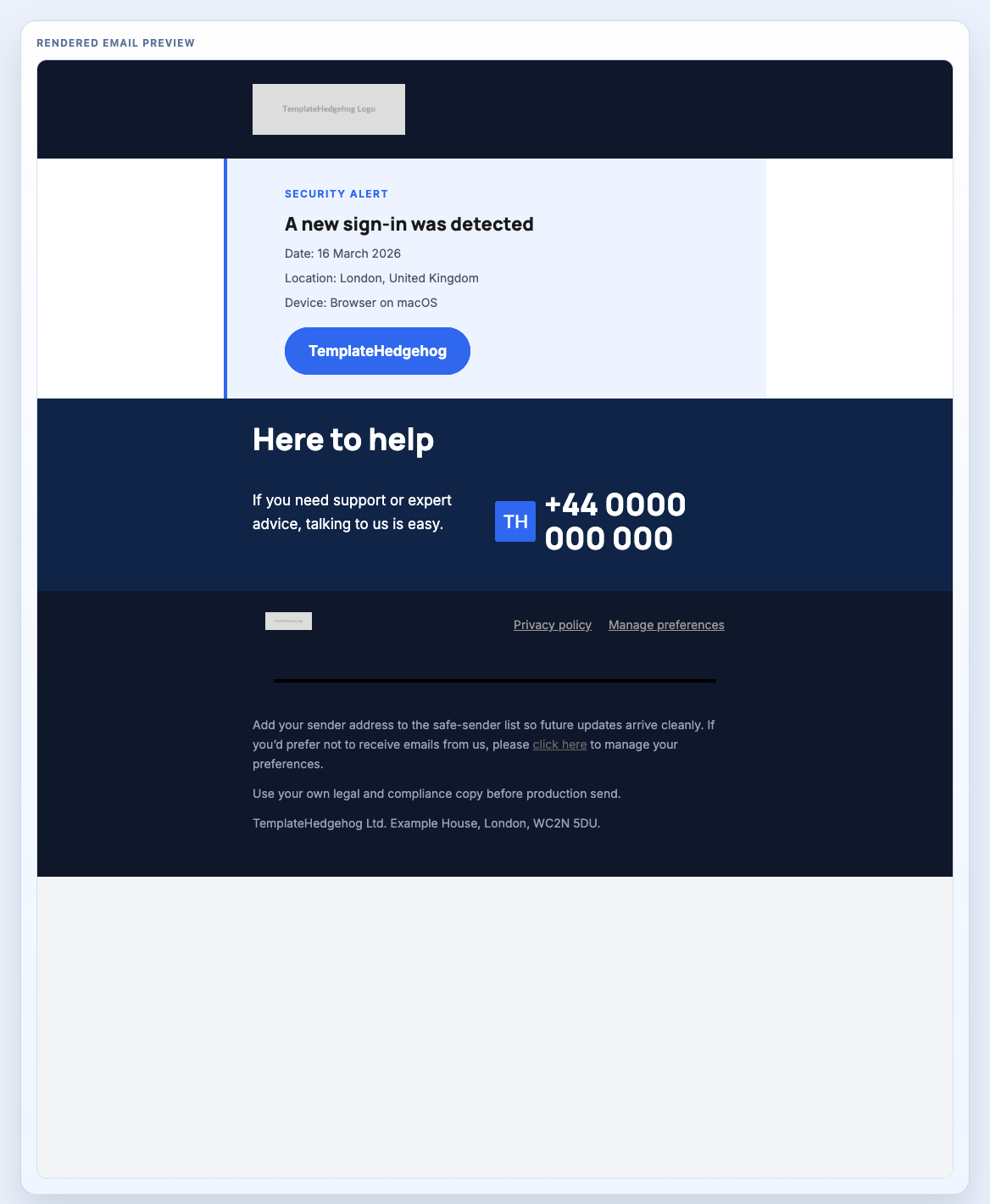
Security alert email with a high-signal alert card, direct support route, and a darker operational footer.
Buy Core when onboarding, password reset, and order confirmation cover the immediate job. Buy Pro when lifecycle, transactional, campaign, newsletter, and operational sends are recurring work.