Goal
Confirm order details and reduce follow-up contacts about status or receipt access.
Confirm post-purchase details with an operational structure that support teams can trust.
Workflow assembly
Trigger to production output
01
Real send event
02
Message journey
03
Complete structure
04
Reusable blocks
05
Production output
Sent immediately after checkout is completed.
Confirm order details and reduce follow-up contacts about status or receipt access.
Order Confirmation System
This workflow is part of Core and remains included in Pro. Use it as a starter production system, then move to Pro when recurring lifecycle, transactional, campaign, and newsletter work needs the full archive.
Workflow pages expose the production shape before purchase: trigger, goal, required fields, variants, QA risks, handoff steps, and linked layout. The paid archive adds the editable source and compiled output for the workflows included in your tier.
A workflow is useful when the implementation contract is visible before anyone starts editing markup.
order.number
Customer-facing order reference.
order.total_gbp
Order amount charged.
order.manage_url
Destination for tracking and support actions.
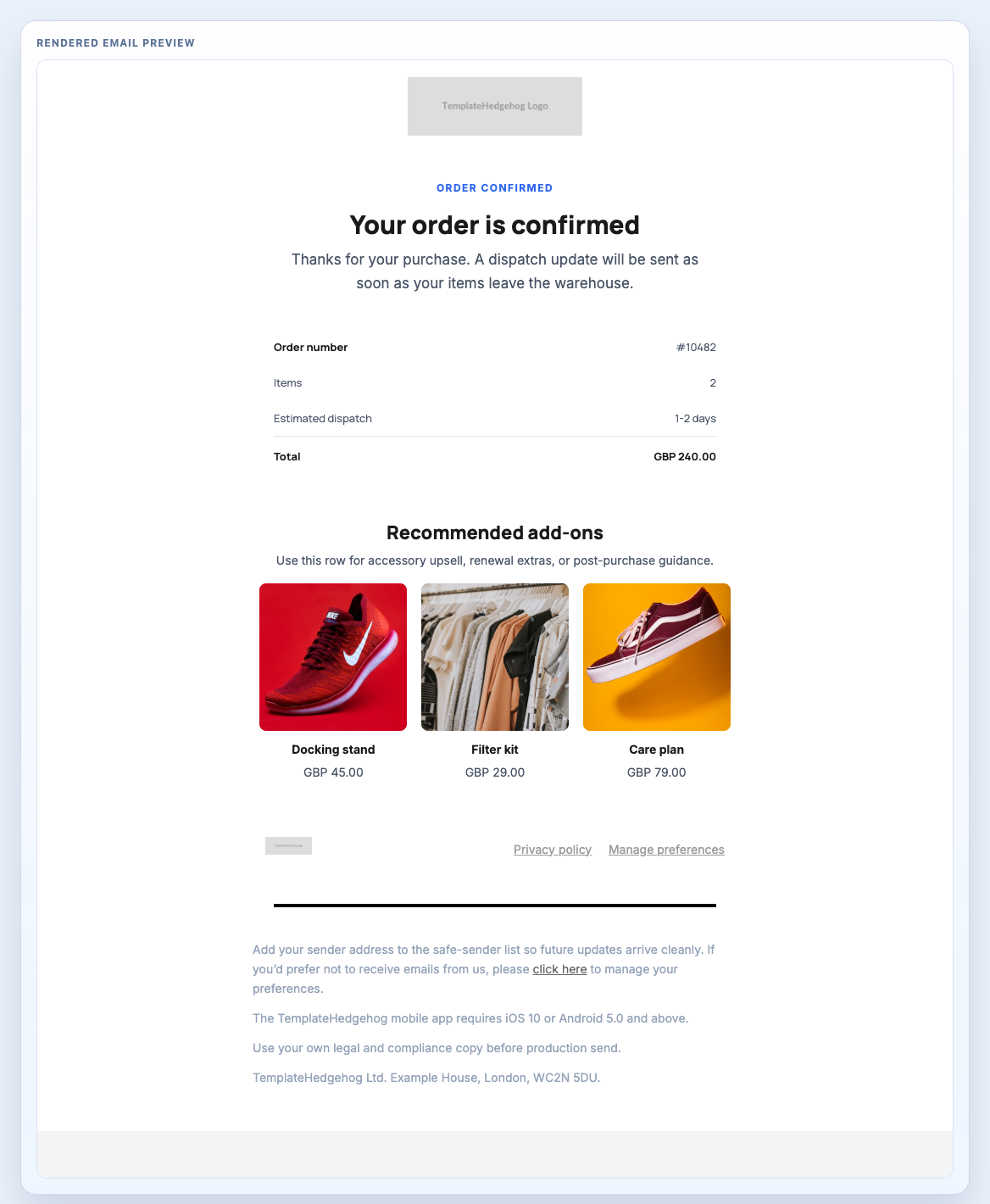
Order confirmation email combining a transaction summary, a small cross-sell row, and a legal close.
Header Centred, Order Confirmation Summary, Related Products Row, Footer Privacy Light
order-confirmation.mjml
The value is not only the rendered email. It is knowing what has to be checked before the ESP takes over.
Template Hedgehog prepares the source, compiled output, preview, QA notes, and handoff context. Mailchimp, HubSpot, Salesforce, NetSuite, Klaviyo, Customer.io, or your ESP still handle audiences, consent, unsubscribe, automation, sending, delivery, and reporting.
Core is enough when the essential starter workflows solve the immediate implementation. Pro is the upgrade when the same source-to-handoff process becomes recurring work across more sends.