MJML source
Editable layout source for adapting copy, block order, imagery, and CTA destinations.
Deployable workflow package
Editorial newsletter recipe combining an editor note, a lead feature, a roundup grid, and a lighter social footer.
Newsletter workflow
Use it when recurring content, digest, update, or editorial sends need a stable repeatable structure.
Source, compiled HTML, rendered preview, QA notes, component structure, and handoff context.
Source to handoff
Supports repeatable editorial production with reusable blocks and reviewable content sections. Template Hedgehog prepares the artefact. The sending platform handles audiences, consent, automation, unsubscribe, reporting, and delivery.
Rendered preview
Complete production package preview before upload, QA, and handoff.
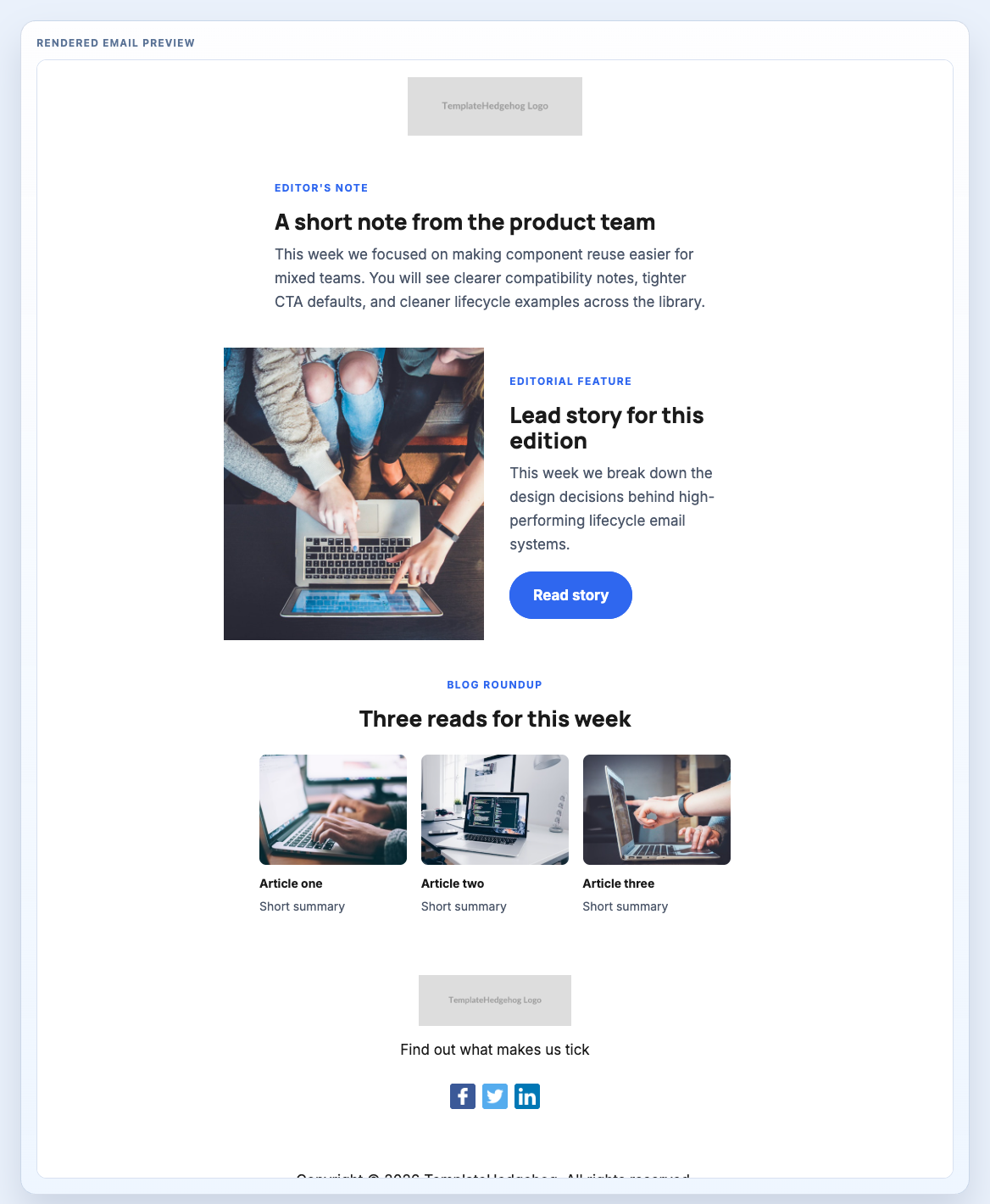
This is the full workflow package framing: editable source, compiled output, rendered proof, QA guidance, implementation notes, and a component stack your team can inspect. Template Hedgehog Pro keeps the archive local for teams that want source and handoff files together.
Editable layout source for adapting copy, block order, imagery, and CTA destinations.
Production output for ESP upload, QA review, or developer handoff.
Visual proof of the complete email before it moves into a sending platform.
Practical checks for links, images, mobile stacking, footer/legal copy, and platform tokens.
How to move from editable source to compiled output and final platform handoff.
The reusable production blocks that make up the workflow package.
The layout is not a static screenshot. It is a workflow-ready stack of reusable blocks that can be inspected together or opened individually when a section needs source-level adjustment.
Creates a calm, repeatable newsletter top row.
Introduces the issue in a more human voice.
Handles the lead story or feature.
Provides the supporting content grid.
Adds the lighter footer variant suited to recurring content sends.
Template Hedgehog prepares the artefact. Mailchimp, HubSpot, Salesforce, NetSuite, Klaviyo, Customer.io, or your ESP still handle audiences, consent, automation, unsubscribe, reporting, and sending.
MJML and HTML remain available for implementation, but the package value is the complete production workflow: preview, structure, QA, handoff, and source together.
Editable source
Editable workflow source for adjusting message order, copy, imagery, and destination URLs.
Formatting code preview...Compiled output
Final output for ESP upload, QA review, and handoff workflows.
Formatting code preview...Workflow package
Layout pages show the deployable artefact, the underlying blocks, and the handoff boundary before your team moves into an ESP.